
WiFi Installation Auckland
No More Dead Zones
WiFi not reaching upstairs, the back bedroom, the garage or the shed? We find out why, then fix it properly with access points, cabling and long-range links.
Where home WiFi usually gives up
Nothing upstairs
The router sits downstairs in a cupboard or the garage, and a floor and ceiling take most of the signal before it reaches the bedrooms.
Dead at the back of the house
Every wall costs signal. Brick, block, tiled bathrooms and modern double glazing cost a lot of it. The far end of a long house gets what is left.
Drops out on calls
Phones cling to a weak signal as you walk around, or bounce between an extender and the router. It feels like the internet cutting out. It is the WiFi.
Fine inside, gone in the garage
Garage walls, a roller door and a car in the way. Often where the router lives, too, which makes the rest of the house worse.
Slow when everyone is home
Thirty-odd devices on one ISP router, all on the same crowded channel. Fine at 10am, buffering at 8pm.
Nothing at the shed or sleepout
No router is built to reach another building. That needs a cable or a point-to-point link, not a stronger box in the lounge.
It is usually the WiFi, not the internet
In most Auckland houses the fibre comes in at the garage or a hall cupboard, and the router sits right next to the fibre box: at one end of the house, low down, often behind something. Everything else is a long way from it.
A quick test tells you whether it is the WiFi or the internet. Run a speed test standing next to the router, then again in the room that annoys you. If it is fast by the router and slow in the bedroom, the internet plan is fine. Paying for faster fibre will not fix it. Fixing the WiFi will.
That is what we do. We find where the signal is being lost, then fix it with the right hardware in the right places. Sometimes that is new access points. Sometimes it is moving the router and changing a few settings, and we will tell you if that is all it needs.
Extender, mesh or access points?
Three ways to fix a dead zone. They are not equal.
WiFi extender
Cheap, and usually the weakest fix. It repeats a signal that is already weak, many cut the speed, and devices cling to the wrong one. Fine for one room, rarely a whole house.
Mesh system
Matching units that work as one network and hand you between them. Right for a lot of homes, and much better when the units are linked by cable.
Ceiling access points
WiFi radios on the ceiling, each on its own cable that also powers it. The strongest, most even coverage, and what we fit most: TP-Link Omada WiFi 7 or Ubiquiti UniFi.
The full comparison, including when mesh is the better buy, is in mesh vs extender vs access point.
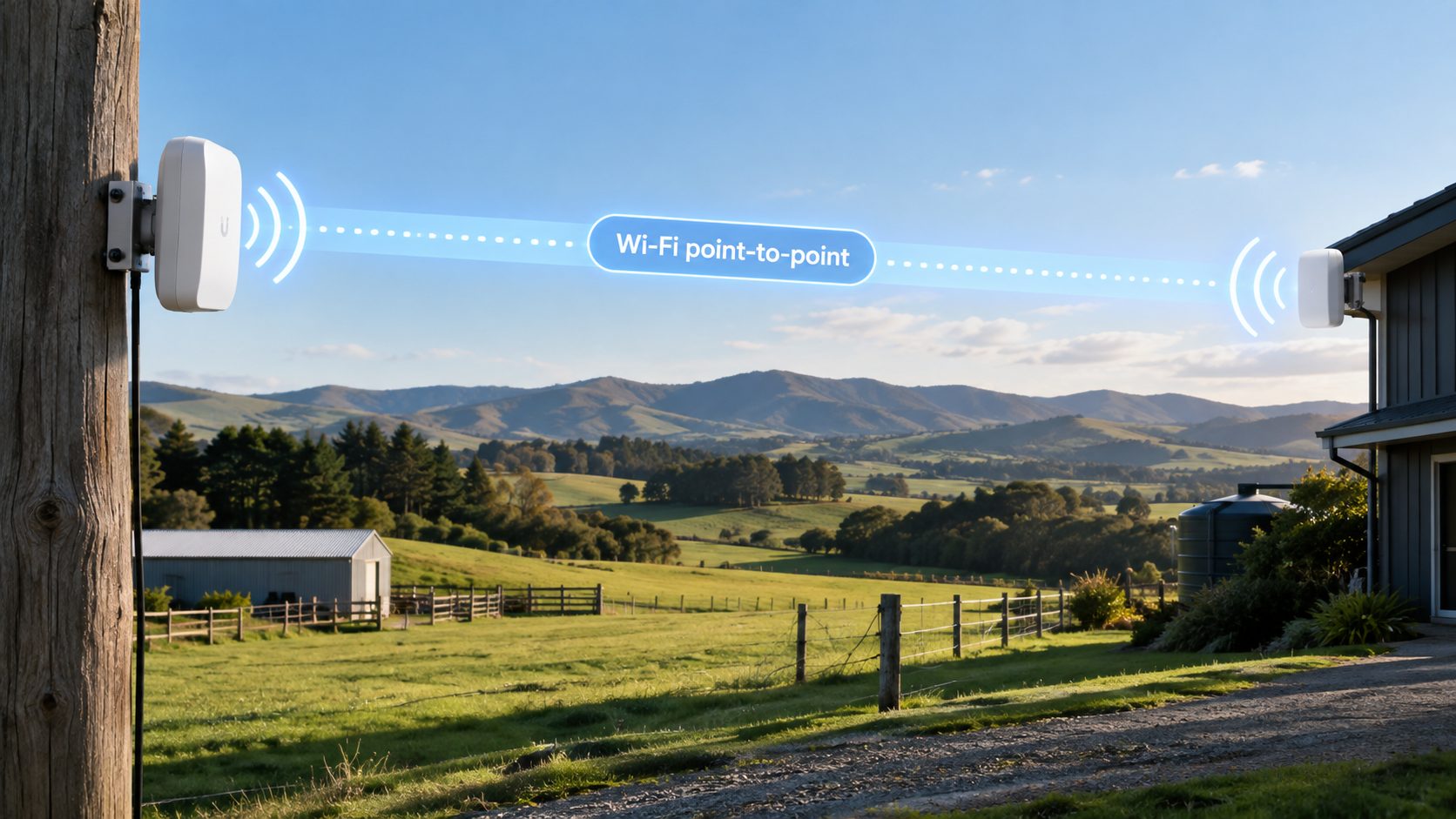
WiFi out to the other buildings
No router reaches the shed. Up to about 100 metres we run a cable, which also powers an access point or camera at the far end. Further out, or where digging is impractical, a point-to-point wireless link joins the buildings: 50 to 300 metres is routine with a clear line of sight.
How to choose is in getting WiFi to a shed or sleepout. Adding cameras or an alarm out there? See lifestyle block security.
What WiFi installation costs
Typical prices for Auckland homes, supplied and installed, including the $45 + GST travel charge.
Add one access point
$450–$540 + GST
$518–$621 incl. GST
Added to a network that already has a spare PoE port. Access point, cable run, setup and travel.
Two access points
$1,030–$1,200 + GST
$1,185–$1,380 incl. GST
A typical single-storey home. The top of the range includes a PoE switch and a power point for it.
Three access points
$1,430–$1,690 + GST
$1,645–$1,944 incl. GST
Larger or two-storey homes, where the cable runs take longer.
Each extra access point
about $400 + GST
about $460 incl. GST
On the same visit, where the switch has a spare port. More switch or cabling work is quoted separately.
Tri-band upgrade
+$240 + GST
+$276 incl. GST
Per access point. Adds the 6 GHz band for busy homes and the newest phones and laptops.
New gateway (router)
$550 + GST
$633 incl. GST · Fibre up to Hyperfibre 2000
$1,060 + GST
$1,219 incl. GST · All-in-one with 8-port PoE switch
$1,930 + GST
$2,220 incl. GST · Hyperfibre 4000 & 8000
Supplied and set up with your access points. The Fusion models have the Omada controller built in, so we can look after the network remotely.
Included: TP-Link Omada WiFi 7 access points (or Ubiquiti UniFi) and mounting hardware, Cat6 cable runs through the ceiling, termination and connection to your network, setup and WiFi tuning, and testing in every room with you before we leave.
Quoted on top if your house needs it: unusually long cable runs, surface ducting where cable cannot be hidden, difficult roof or underfloor access, a new circuit, or a wider network upgrade. You get a fixed, itemised quote after we have seen the house, so none of this is a surprise. What moves the price:
How many rooms and floors
Size matters, but construction matters more. A brick or concrete house usually needs more access points than a timber one of the same size.
How easy the cable runs are
Single-storey with ceiling space is straightforward. Two storeys, a skillion roof or concrete take more work. A new build is easiest of all.
What we can reuse
Your ISP router can usually stay. Existing network cabling, a good switch or a decent mesh kit may only need moving and setting up properly.
Offices, shops & warehouses
Offices, shops, cafes, clinics and warehouses need more than coverage. Staff, guests, EFTPOS, cameras and smart devices each go on their own network, so a guest on the free WiFi can never reach the till or the recorder.
We design for the number of people, not just the floor area, cable every access point, and set it up on a controller so we can see and fix problems remotely. If the cameras and alarm are ours too, it is one plan and one contact. See commercial security for that side.
Omada WiFi installation in Auckland
Most of the access point systems we fit are TP-Link Omada. It is business-grade gear at a price that makes sense in a house: ceiling access points, each powered over its own network cable, all run from one controller and the Omada app.
Phones and laptops hand over between access points as you move through the house, every access point shows in one dashboard so problems are easy to spot, and staff, guest and camera networks stay separate. The same PoE switches can also power TP-Link VIGI cameras, so WiFi and CCTV run on one tidy network.
Already have Omada gear that was never set up properly? We take over existing Omada networks too: adopt the access points into a controller, sort out channels and power levels, and get it running the way it should.
How we fix it
We Look First
We come and see the house: where the fibre comes in, where the router is, what the walls are made of and where it drops out.
Clear Quote
A fixed, itemised price before anything starts: every access point, cable run and link, and what each one is for.
Install & Test
Cabled, mounted and set up properly, then tested in every room you care about, with you, before we leave.
Ongoing Support
Managed systems mean we can often see and fix a problem remotely, and adding an access point later is simple.
Where we work: All of Auckland from our Whenuapai base: West Auckland, the North Shore, Central, East and South Auckland, plus the rural north-west, Kumeu, Huapai, Riverhead and Dairy Flat.
Worth reading next
Mesh vs extender vs access point
Three ways to fix a dead zone, and which one disappoints.
Read moreWiFi to a shed or sleepout
Cable, a wireless link or a mesh node: which, and when.
Read moreLifestyle block security
Gate cameras, shed alarms and the links that reach them.
Read moreCCTV installation
Cameras on the same network, on their own lane.
Read moreTP-Link VIGI cameras
The PoE cameras we fit most, managed like the WiFi.
Read moreCommercial security
Alarms, cameras and networks for business premises.
Read moreCommon questions
Run a speed test next to the router, then in the problem room. Fast by the router but slow elsewhere means the WiFi is the problem, and a faster plan will not fix it.
A typical two-access-point install in a single-storey Auckland home is $1,030-$1,200 + GST ($1,185-$1,380 incl. GST), including cabling, setup and travel. Larger homes, tri-band and Hyperfibre cost more. You get a fixed quote first.
Sometimes. Moving the router, a cable to a central spot or a few settings changes can be enough. We tell you honestly after we have looked, rather than selling hardware you do not need.
Cabled ceiling access points give the most even, reliable coverage. Mesh is easier to fit and suits many homes, especially with cable between the units. We recommend whichever fits your house.
For one room just past good coverage, maybe. For a whole floor or the far end of the house, extenders usually disappoint: they repeat a weak signal and often cut the speed.
Yes. Up to about 100 metres a cable is best. Further, or where digging is impractical, a point-to-point wireless link covers 50 to 300 metres with a clear line of sight.
Yes. We are an electrical company, so cabling through ceilings and walls, conduit to outbuildings and power where it is needed are all part of the same job.
Usually, yes. It can stay as the router while our access points take over the WiFi, or we replace it if it is the weak link. Your internet plan does not change.
Yes. Omada is what we fit in most homes: ceiling access points on their own cables, set up on a controller so the whole network shows in one app. We also take over and tidy up existing Omada systems.
Yes: offices, shops, cafes, clinics and warehouses, with staff, guest, EFTPOS and camera traffic on separate networks and remote management.
Sick of Slow WiFi?
We will find out why it drops out, tell you honestly what it needs, and give you a fixed price before anything starts.
Get a Free Quote