
Security Wired In
Before the Linings
Alarm, cameras, video doorbell and WiFi cabling for new homes and renovations, planned from your plans and run at pre-wire — by the security side of an electrical company.
Cable is cheap while the walls are open
A new build is the one time every camera, detector and keypad can go exactly where it should, for the price of some cable in an open wall. Once the insulation and linings are in, the same job means fishing cable through finished walls, running trunking across a ceiling, or settling for wireless where you would rather have had a wire.
Most security in new houses gets thought about after the painters have left. That is how you end up with a camera bolted where the cable happened to reach, a recorder sitting on the floor of the wardrobe, and a video doorbell with no power at the door.
We plan it at the same point as the electrical: on the plans, then on site at the pre-wire walkthrough, before the pre-line building inspection.
Everything that needs a cable later
Alarm detectors & keypads
Cable to every detector, keypad and siren position for a wired system — or, for wireless Ajax, power and data to the hub position so it is not stuck on a garage shelf.
Camera positions
One network cable to each camera position. With PoE cameras that single cable carries the power and the picture, so there is no power point on the eaves.
Recorder & network cupboard
A spot for the recorder with power and a cable to the router, out of sight but reachable. Usually the same place the fibre comes in.
Video doorbell
A wired video doorbell needs a supply at the door. Ajax's DoorBell runs from a 12–24 V supply and keeps its battery for backup only, so the cable has to be there.
WiFi access points
Data cable to ceiling access points instead of a single router fighting through every wall. Powered over the same cable.
Gate, garage & outbuildings
Conduit under the driveway before the concrete goes down, for a camera or keypad at the gate and cable out to a garage or sleepout.
Wired or wireless, honestly
Open walls make wired possible. They do not make it cheaper than wireless.
Wireless Ajax
The most common choice, and the lowest cost. Detectors run on their own batteries for years. At pre-wire we still run power and data to the hub and any keypad, so the system reports over your network as well as 4G.
Hardwired Paradox or Elite
Each detector is cabled to the panel, so there are no detector batteries. Proven, NZ-familiar systems. Easiest to justify when the walls are open, because the cable is the hard part.
Ajax Fibra
Ajax's wired range: detectors powered through the cable, the same app as wireless Ajax, and wired and wireless devices on one system. It costs more than wireless even in a new build; what you buy is never changing a detector battery.
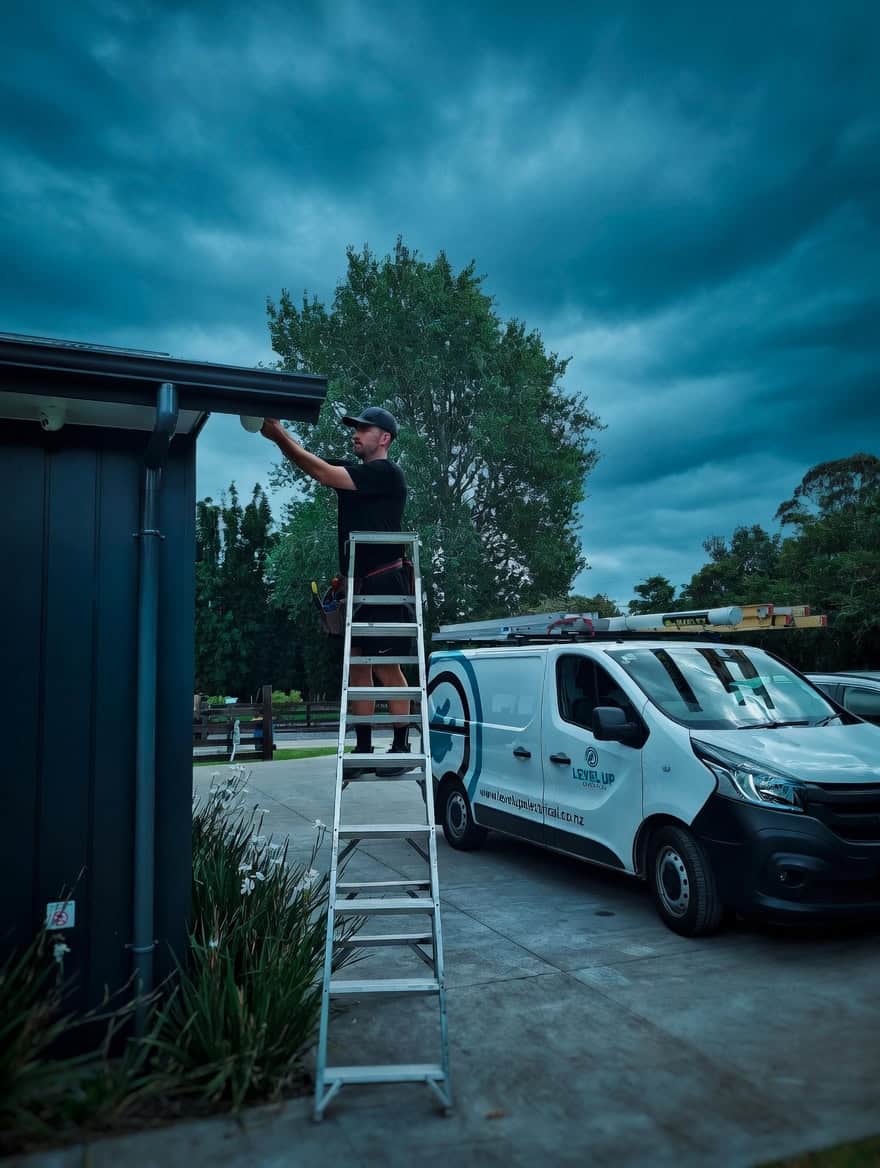
The electrician and the security installer
Level Up Security is the security side of Level Up Electrical. Same company, same people. On a new build that matters, because the security pre-wire and the electrical pre-wire are the same kind of work on the same frame, and they go best when one team plans both.
If we are already your electrician, the security cabling goes in on the same visits. If your builder has their own electrician, we work alongside them and fit in with the builder's programme. Either way, the cable runs are labelled at both ends and the positions are marked on your plans, so fit-off is not guesswork.
For the electrical side of the build, see our new build electrician page.
Where security fits in your build
Plan Review
We mark every detector, keypad, camera, doorbell and access point on your plans and price the job from them.
Pre-Wire Walkthrough
Frame up, roof on: we walk the house with you and confirm each position. The last cheap chance to move anything.
Pre-Wire
Cable goes in and is labelled at both ends, before the pre-line inspection, insulation and linings.
Fit-Off & Handover
After painting we fit the devices, walk-test the alarm, set up the cameras and apps on your phone, and show you how it all works.
Three things we see in finished houses
Cameras placed on paper
A camera position drawn on a plan can end up behind a downpipe, facing the afternoon sun, or too high to see a face. We confirm every position on site with the frame up.
Nothing to the recorder
Every camera cable has to finish somewhere. If nobody planned where, the recorder ends up wherever a power point happens to be, with cables run to it afterwards.
A doorbell with no power
The front door is clad and painted before anyone asks about a doorbell. Then the choice is a battery model or a cable chased into finished cladding.
Walls open for another reason?
A renovation opens walls too. A kitchen or bathroom gutted back to the frame, an extension, a villa being relined: any of these is the chance to put cable where a wired camera or detector will need it, even if the rest of the house stays as it is.
Tell us before the linings go back up. A short visit to run a few cables costs far less than coming back once the plasterer has finished.
Worth reading next
Ajax Fibra wired alarms
The wired Ajax range, in more depth.
Read moreCCTV installation
Cameras for homes and businesses across Auckland.
Read moreTP-Link VIGI cameras
The PoE cameras and recorders we fit most.
Read moreVideo doorbell
The Ajax DoorBell, and what it needs at the door.
Read moreWiFi solutions
Access points and networks for the whole house.
Read moreHobsonville & Whenuapai
Security in the new subdivisions on our doorstep.
Read moreCommon questions
As soon as you have plans, and well before the frame is up. We price from the plans, then confirm positions at the pre-wire walkthrough. The cable must be in before the pre-line inspection and insulation.
They can run cable, but the positions decide whether a camera sees a face or a detector covers a door. Many builders are happy for us to plan and run the security side, or to mark it up for their electrician.
Wireless Ajax is the lowest cost and suits most homes. A wired system means no detector batteries, and a new build is the cheapest time to cable one, but it still costs more than wireless.
Run the cable anyway. A cable to each likely camera position costs little at pre-wire and means cameras can be added later without opening walls.
No. PoE cameras take power and data down one network cable from the recorder, so the cable is the only thing each position needs.
Somewhere out of sight, ventilated and near the router, usually where the fibre comes in. Not on show by the front door, where it can be taken with the footage.
Yes. Any time walls are open back to the frame, it is worth running cable for the cameras or detectors that room will need. Tell us before the linings go back up.
Ajax, Paradox and Arrowhead Elite. We recommend one after seeing the plans, and quote with each device listed.
Sources
Manufacturer specifications, checked October 2026.
Send Us Your Plans
We will mark up the security, price it from the plans and fit in with your builder's programme — before the linings go up.
Get a Free Quote