
TP-Link VIGI CCTV
Auckland
Business-grade cameras at a price that makes sense on a house. One cable per camera, recorded to a box in your own home, and no monthly fee to watch your own footage. It is the system we recommend first, and the reason is value, not commission.
Between the cheap kit and the commercial quote
Most CCTV disappointment in Auckland comes from one of two directions. At one end is the boxed kit off the shelf — WiFi cameras that drop out at the far corner of the section, an app that wants a monthly fee to keep more than a few days of footage, and a picture that turns into a grey smear at exactly the moment it matters.
At the other end is proper commercial hardware, priced and specified for a commercial site. It works, but quoting it for a three-bedroom house in Massey is not doing anyone a favour.
TP-Link VIGI sits in between, and that is why it is the system we put in front of most people. It is TP-Link's business range — not the Tapo consumer line sold in the same aisle — so the cameras are wired, powered over that same cable, and recorded to a box in your own house. There is no subscription to look at your own cameras.
The shapes we install
Which ones you need comes out of the site visit, not a package.
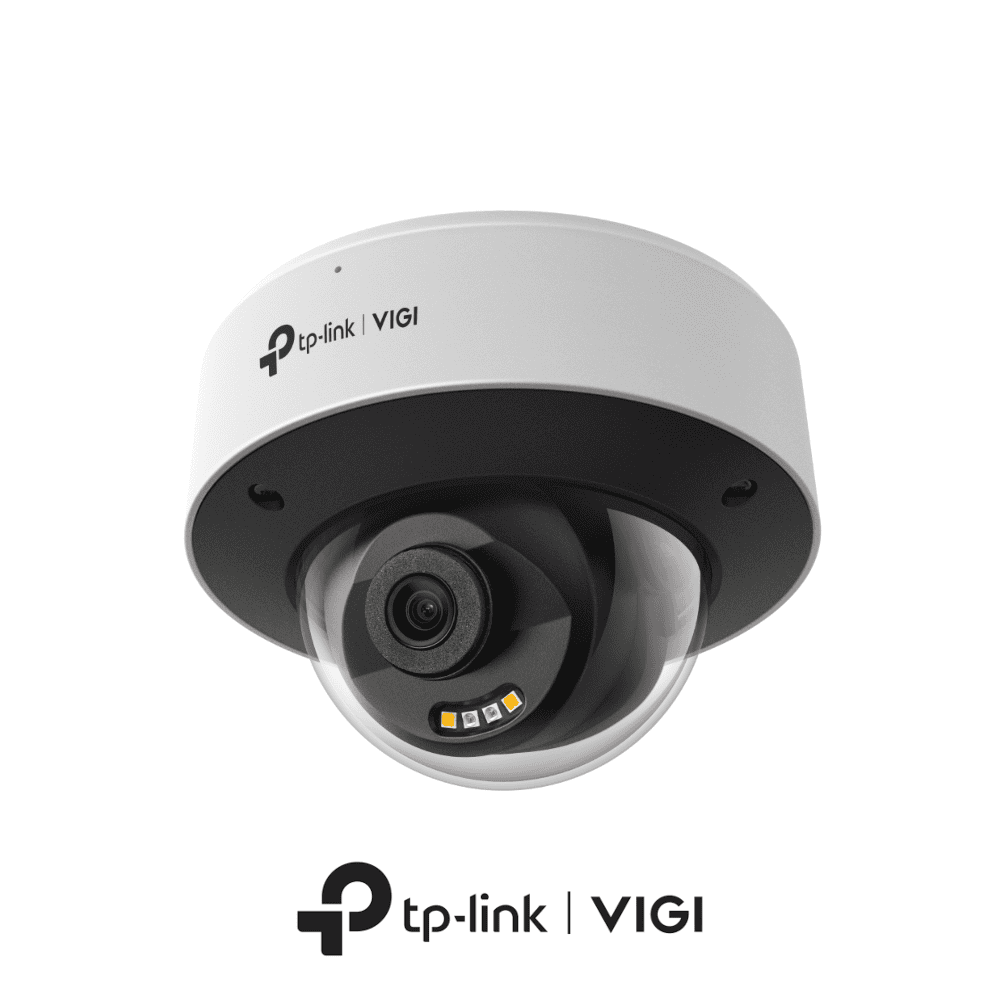
A VIGI dome — the discreet one, for a soffit where nobody is meant to notice it.
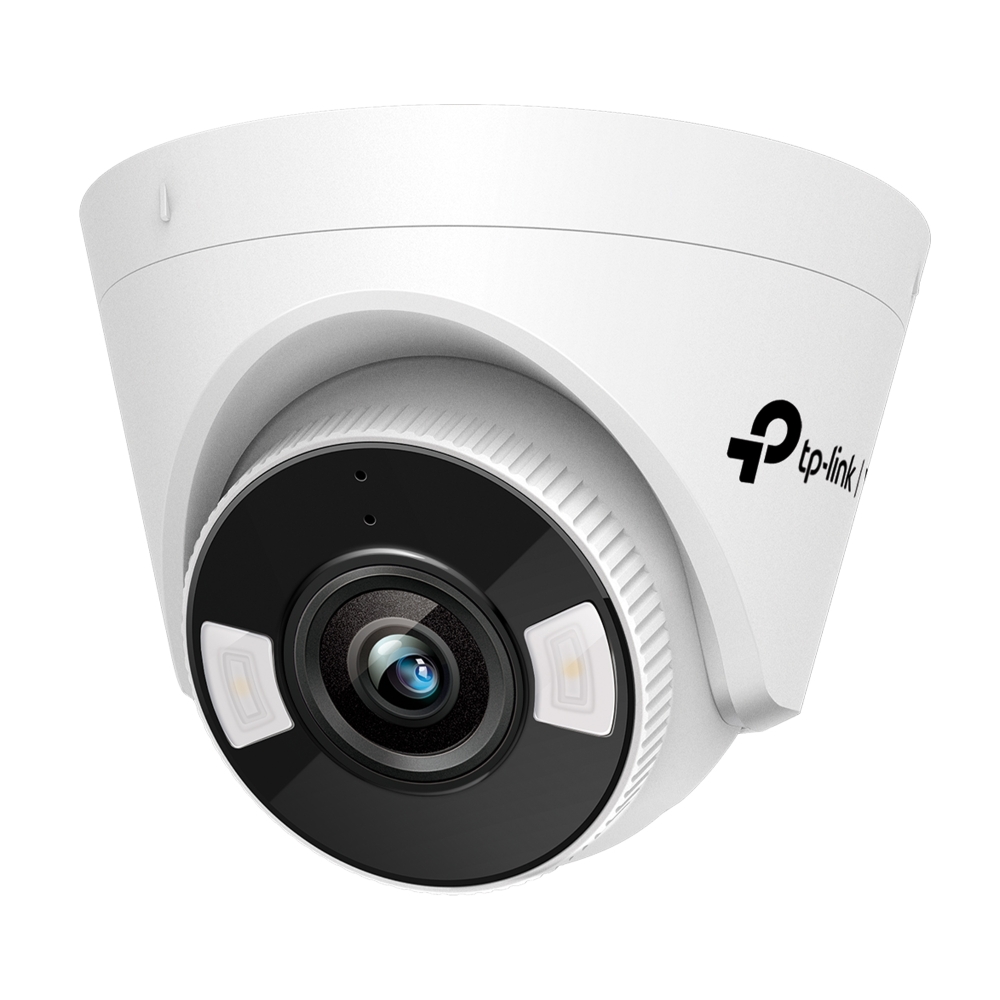
A VIGI C440 turret — the two white squares beside the lens are the spotlight LEDs that give colour at night. The pinhole above the lens is the microphone.
Dome cameras
Sits flat under a soffit or eave and gives away very little about which way it is pointing. The vandal-rated versions go where someone could actually reach the camera — a carport, a low wall, a loading door.
Turret cameras
The one we fit most, and the one photographed above. It aims precisely after it is mounted, and its infrared sits outside the lens housing rather than behind a dome cover, so you avoid the haze that ruins a dome's night picture in the rain. The full-colour models carry their spotlight LEDs and microphone in the same face.
Bullet cameras
Visible on purpose. The long body suits a longer lens, which is what you want down a driveway or along a boundary where the subject is thirty metres away, not three.
PTZ cameras
Pan, tilt and zoom, for a yard, forecourt or lot where one camera has to cover ground that would otherwise take four. Good on commercial sites, rarely the right answer on a house.
Multi-lens and panoramic
One mount, one cable run, several sensors covering a corner or a full frontage. Worth it where getting a second cable to a position would mean lifting a floor.
VIGI NVR recorders
The recorder the cameras report to. The models we fit most have the PoE ports built in, so the cable to each camera is the only cable — no separate injectors or power supplies stacked in a cupboard.
One cable, no power point
PoE stands for Power over Ethernet, and it is the practical reason we default to VIGI rather than anything wireless. One cable carries both the picture and the power, so there is no power point needed at the camera, no plug pack in the roof space, no batteries to change and no WiFi to drop out.
That last point is worth dwelling on, because WiFi cameras fail exactly where you most want a camera. The far corner of the section, the end of the drive, the garage on the other side of a block wall — those are the positions your router is worst at reaching, and a camera that reconnects every few minutes is a camera with gaps in its recording.
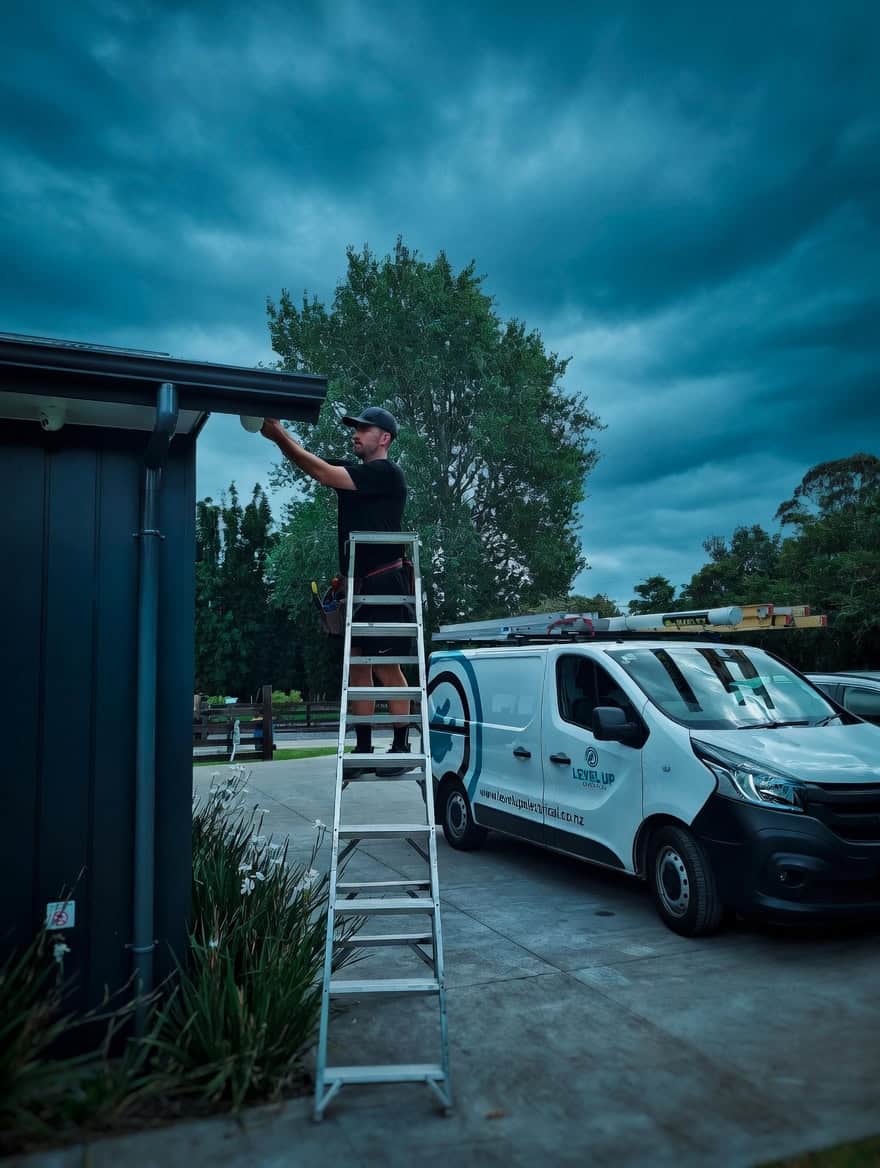
The cable route decides the job
The trade-off is honest. A wired system means a cable route to every camera, and the cable route is what decides the job — more than any specification does.
So most of what the site visit is actually for is working out where cable can reasonably go: which way the roof space runs, whether there is a soffit to come out through, what is on the other side of that wall, and which positions would cost more in patching and repainting than the camera is worth. We would rather tell you that on the day than discover it halfway through the install.
Colour at night, or just infrared
Ask what a camera does at night before you ask how many megapixels it has. Nearly everything you will actually want footage for happens in the dark, and infrared gives you a black-and-white picture. That is perfectly good for establishing that somebody was there. What it will not tell you is that the car was a red hatchback, or that the jacket was high-vis orange — and colour is usually the detail that turns footage into something worth handing over.
The full-colour models get round that in two stages. A large-aperture lens and a high-sensitivity sensor make the most of whatever light is already there — a street light, a porch light, the moon. When that is not enough, the spotlight LEDs built into the camera face fill in the rest. On the turret photographed above they are the two white squares either side of the lens, and TP-Link rates them to about 30 metres. The result is genuine colour in the dark, not a slightly brighter shade of grey.
The trade-off is honest: that light is visible. Plenty of people want exactly that, because a camera that lights up as someone walks in is a deterrent in its own right. Nobody wants it shining outside a bedroom window all night. The cameras that carry both infrared and white LEDs can run on infrared normally and only bring the white light up when something is actually detected, which on a house is usually the right answer. We set that with you on the day rather than leaving it at whatever the box shipped with.
Your own outdoor lighting matters as much as the camera does. A sensor light aimed straight back into a lens will wash out a picture that would otherwise have been fine, so we look at where the existing lights are before deciding where the camera goes.
Talk back through the camera
The dome and turret models we fit have a microphone and a speaker built in. That makes the camera a two-way device rather than a passive one: from the app you can hear what is happening at that end of the property, and talk back through it.
It gets used more than people expect. A courier at the gate who needs telling to leave the parcel round the side. Someone in the yard at eleven at night who did not know anyone was watching — and in our experience the first sentence usually ends it, because a person who was not expecting a voice does not stay to find out what happens next. It is also the difference between watching a delivery driver walk off with a parcel and stopping them.
Two things worth knowing before you count on it. It is push-to-talk through the phone app, not a phone call, so there is a moment's delay and you have to have the app open — it is not a substitute for a video doorbell if what you want is for someone at the door to be able to call you. And recording audio carries more privacy obligations than recording video does, so whether the audio is recorded or only used live is worth deciding deliberately. We will talk you through it rather than leaving it on by default and hoping.
VIGI or Ajax cameras?
We fit both. The honest answer is that it depends on whether there is an Ajax alarm in the picture.
TP-Link VIGI
- Best value — business-grade hardware at a price that makes sense on a house
- Wired PoE: one cable per camera, no batteries, no WiFi dropouts
- The widest choice of shapes — dome, turret, bullet, PTZ, multi-lens
- Records to a VIGI NVR on site, with no subscription
- A standalone camera system, with its own app
Ajax cameras
- Runs in the same app as your Ajax alarm, on the same hub and logins
- One place to arm the house and check the driveway, not two
- Wireless options where a cable run is genuinely not possible
- A smaller camera range, and a premium on the price
- Only pays for itself if the alarm side is Ajax too
Recorded here, not rented back to you
Footage goes to a VIGI NVR in your house or on your site, not to somebody's cloud. Two things follow from that. You are not paying a monthly fee for the privilege of keeping your own recordings, and the system keeps recording when the internet drops — which, if a line has just been cut or the power has flickered, is precisely when you want it still running.
How far back it goes is a sizing decision, not a fixed number. More cameras, higher resolution and busier scenes all eat the drive faster. Two to four weeks covers most people, because the realistic case is noticing something on a Monday that happened over the weekend. If you are away for a month at a time, say so and we will size it for that.
Remote viewing runs through the free VIGI app on your phone, live or back through the recording, and we set that up and test it with you before we leave rather than emailing you a manual.
How we fit a VIGI system
Free Site Assessment
We walk the property and work out what you actually need to see — who comes to the door, what happens at the gate, the side of the house nobody overlooks — and where cable can realistically run.
Clear Upfront Quote
A fixed price before anything starts, itemised per camera so you can see what each one is for and take any of them off the list.
Professional Installation
Cabled and terminated properly, cameras aimed and focused on site, and the NVR set up and labelled so a channel number means something in a year's time.
Handover & Training
Your own login on the app, remote viewing tested on your phone before we go, and shown how to find a clip and export it if you ever have to hand one over.
Worth reading next
CCTV installation
The main camera page — every brand we fit, and how we approach a system.
Read moreAjax CCTV
The other recommended brand: cameras in the same app as your Ajax alarm.
Read moreCommercial security
Cameras, access control and monitored alarms for business sites.
Read moreResidential security
What a home system usually needs, and what it does not.
Read moreAlarm installation
The alarm side — often quoted at the same time as the cameras.
Read moreSecurity advice
Articles on choosing, placing and getting real use out of cameras.
Read moreCommon questions
No, and it is the most common mix-up. Tapo is TP-Link's consumer range, sold in the same shops. VIGI is their business range — different hardware, different recorders, different software, and built to run continuously rather than to sit on a shelf watching a hallway.
Not to view or record your own cameras. Recording goes to the NVR on your site and the VIGI app is free. The only ongoing cost people usually add is alarm monitoring, which is a separate service and a separate decision.
No. That is the point of PoE — the network cable carries the power as well as the picture, so the only thing that has to reach each camera is one cable back to the recorder.
Yes. The recorder is on site and does not need the internet to record. What you lose while the connection is out is remote viewing from your phone; the footage is still there when it comes back.
On the full-colour models, yes. A high-sensitivity sensor plus the spotlight LEDs in the camera face give you colour in real darkness, rather than infrared's black and white. The light is visible, which some people want as a deterrent and some do not — it is a setting we choose with you.
Yes. The models we fit have a microphone and a speaker built in, so from the app you can hear what is happening and talk back. It is push-to-talk rather than a phone call, so expect a moment's delay.
Usually fewer than a quote suggests. What matters is covering the ways in and the approach, with each camera close enough to identify a person rather than record a shape. Four well-placed cameras beat eight badly placed ones, and cost less.
Yes, up to the number of channels and PoE ports on the recorder — which is exactly why we size the NVR with a bit of headroom rather than to the exact number of cameras you are starting with.
Often, yes. VIGI cameras speak ONVIF, the standard most recorders support, so they will usually sit on an existing NVR — though you give up some of the smart detection settings that only appear in VIGI's own software. Worth us checking your recorder before you buy on that basis.
Yes. It started as a business range, so light-industrial units, shops, yards and offices are well within what it is designed for. Larger sites are where the PTZ and multi-lens cameras start to earn their place.
Get a Straight Quote on VIGI
Free site assessment across Auckland, a fixed price before the work starts, and cameras placed where they will actually tell you something.
Get a Free Quote